The admin portal, screen by screen
Runs, festivals, tours, clean-ups, street appeals and council events all run from the same portal. Here is what organisers use it for, from the first spreadsheet to the report afterwards.
28,000+
Confirmed volunteer shifts across national appeals
1,000+
Sites in a single campaign
5 years
In production
Sydney
Where your volunteer data is hosted
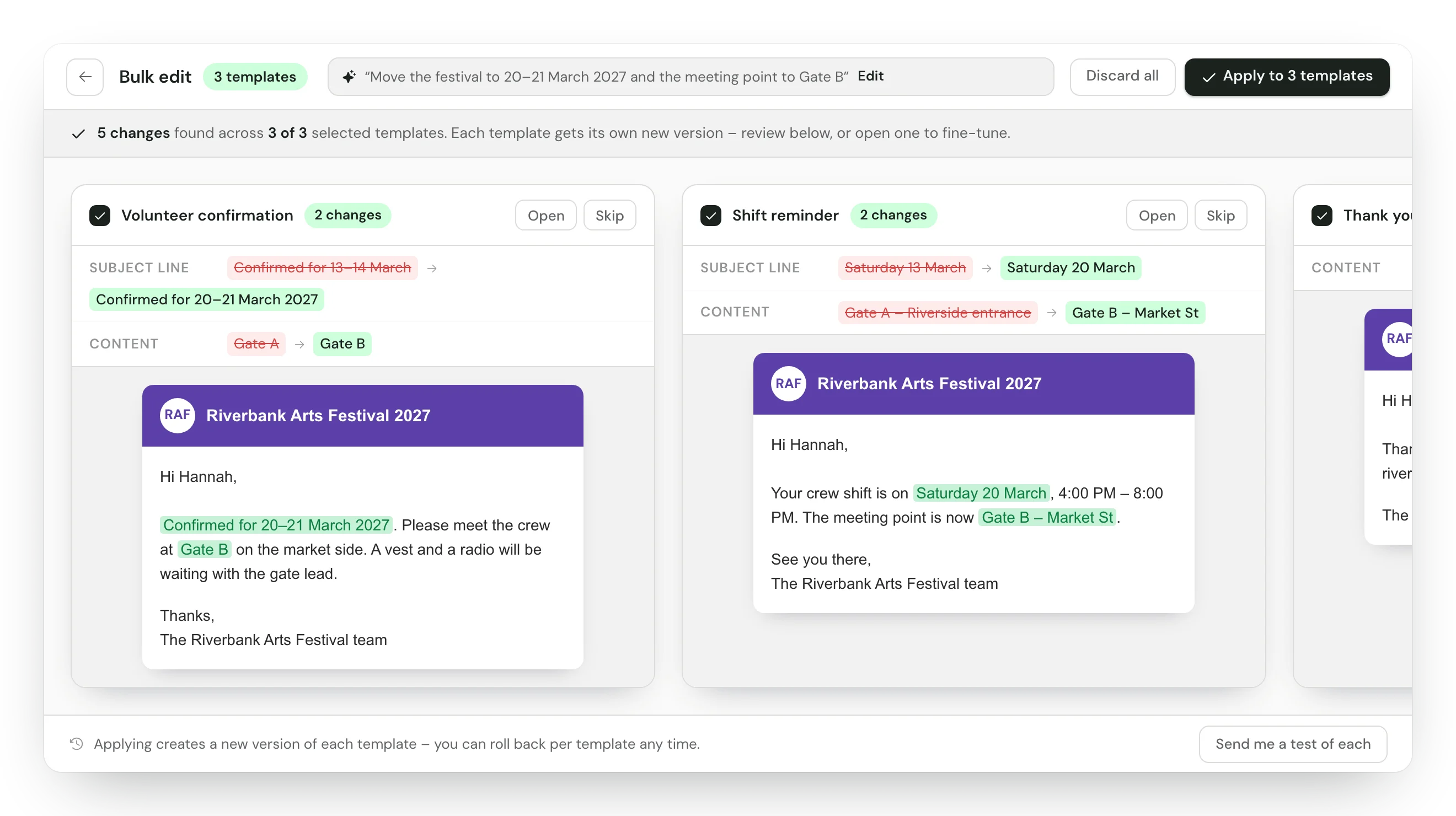
Change every email in one go
Tell the assistant what changed, then review each template before it's applied.
Tick your templates, choose Edit with AI and describe the change: a new date, a new meeting point, a new sponsor. Each template comes back with its before and after, and nothing is saved until you apply it. For a new email, describe what you need or attach a screenshot of a look you like. AI features are switched on per organisation, on request.
- Skip a template, or open one to fine-tune it
- Each template you apply gets its own new version
- Create with AI drafts a reusable email header and footer
- Merge fields stay intact, and the assistant can link a PDF you've hosted
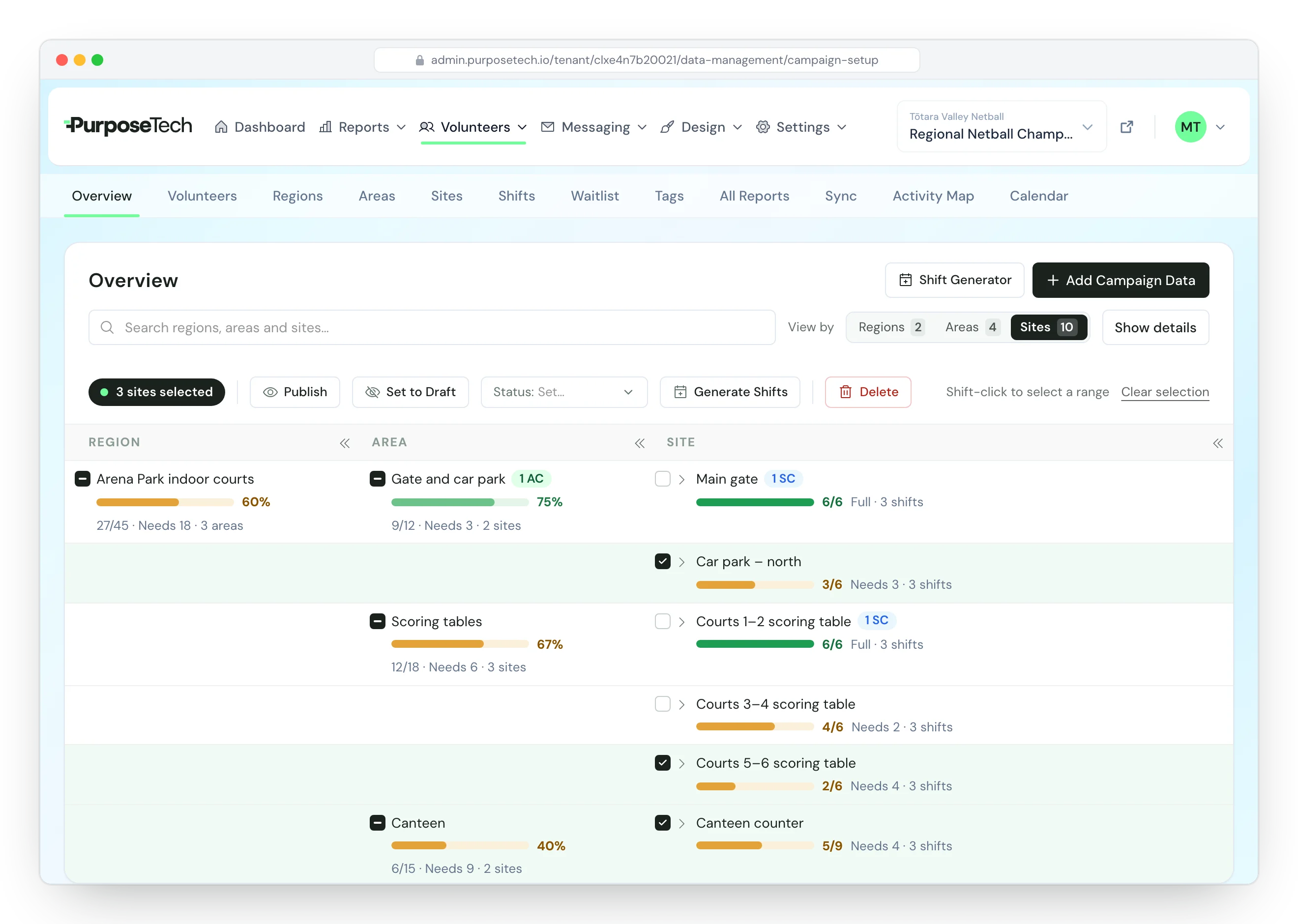
Build the whole campaign, then watch it fill
One table for your regions, areas and sites, with a fill bar on every row.
Paste your sites from Excel or upload a spreadsheet, put one shift pattern across as many sites as you tick, and make up to 20 copies of a region with its areas, sites and shift times. Once sign-ups open, the Overview shows how full each part of the campaign is, so the weak spots stand out while there's time to fix them.
- View by region, area or site, and collapse the columns you don't need
- Search, then publish, unpublish or delete many rows at once
- Start next year from a copy of this campaign, with its data if you want it
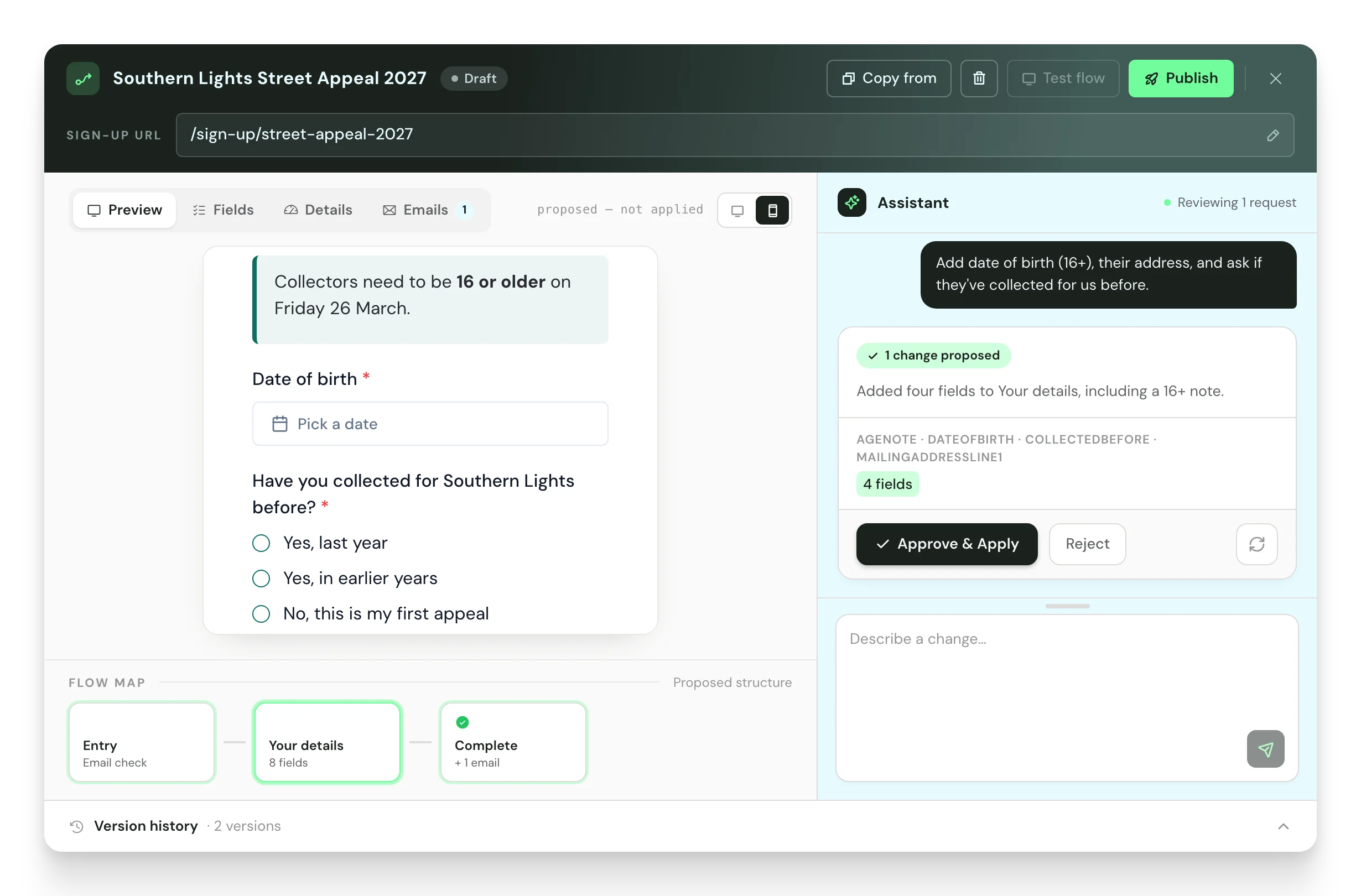
Describe the form you need
Draft with AI gives you the fields, the questions and the follow-up emails to approve.
Onboarding flows are sign-up forms with their own web address, for coordinator applications, crew briefings or expressions of interest. Start a flow with Draft with AI, approve each change as it's proposed, and edit the fields by hand whenever you like. Submitted forms sit on each person's record, and the Volunteers list filters by who has completed one.
- Questions that only show when they apply
- Text, date, choice and note fields, with address lookup
- A live-from and live-until window for each form
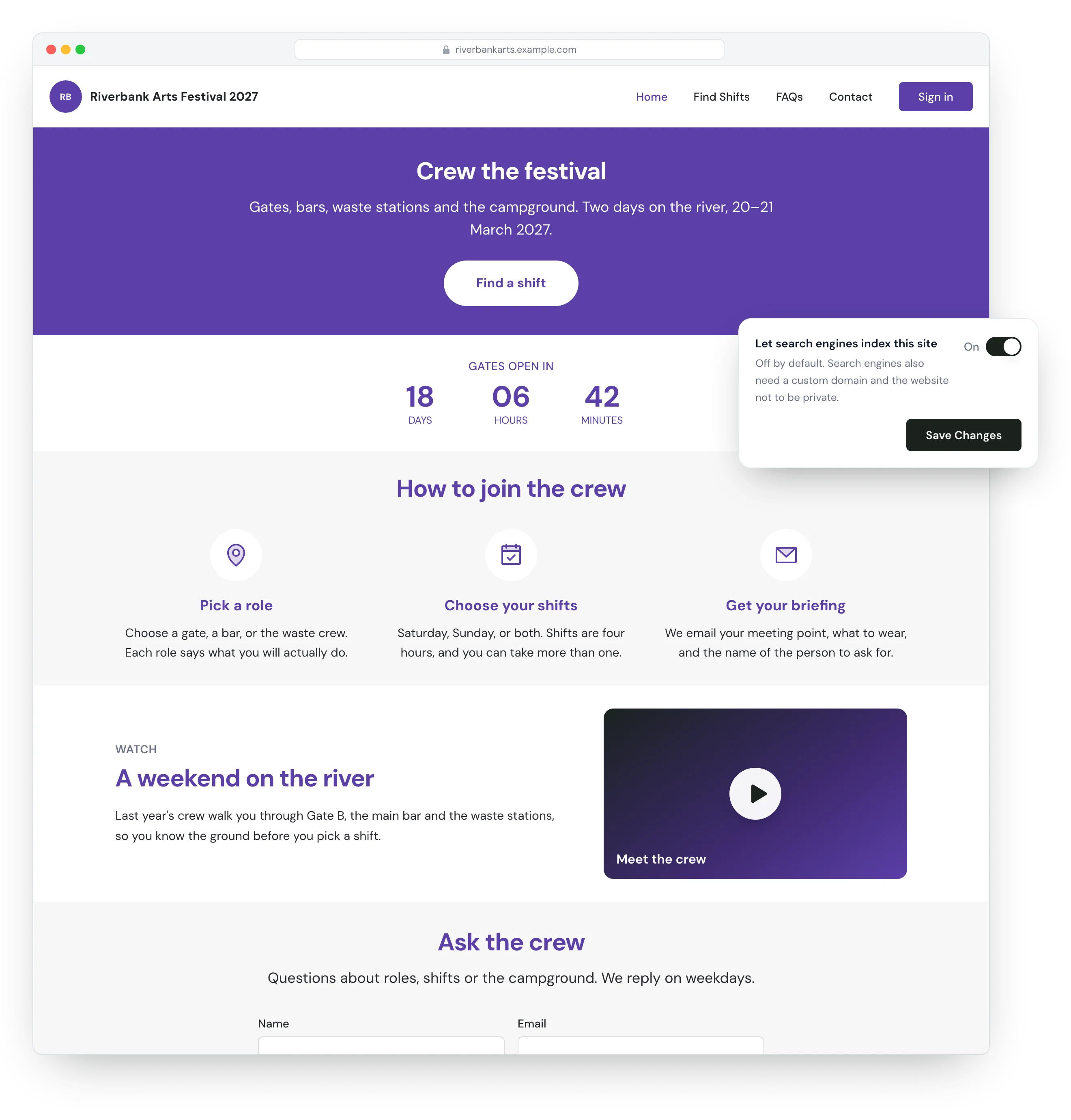
Give your campaign its own website
Volunteers sign up on a site with your name, colours and domain.
Set your colours, fonts, header and footer once, or per campaign, and have AI read the styles from your website or a flyer. Campaign pages are built from full-width sections: banners, steps, image and text, FAQs, a social feed, a countdown to the day and a contact form that emails your team. A YouTube link on its own line plays as an embedded video.
- Your own domain on the volunteer site
- A switch to let search engines index the site when you're ready
- Sitemap, robots.txt and event structured data generated for you
- Your own questions on the registration form
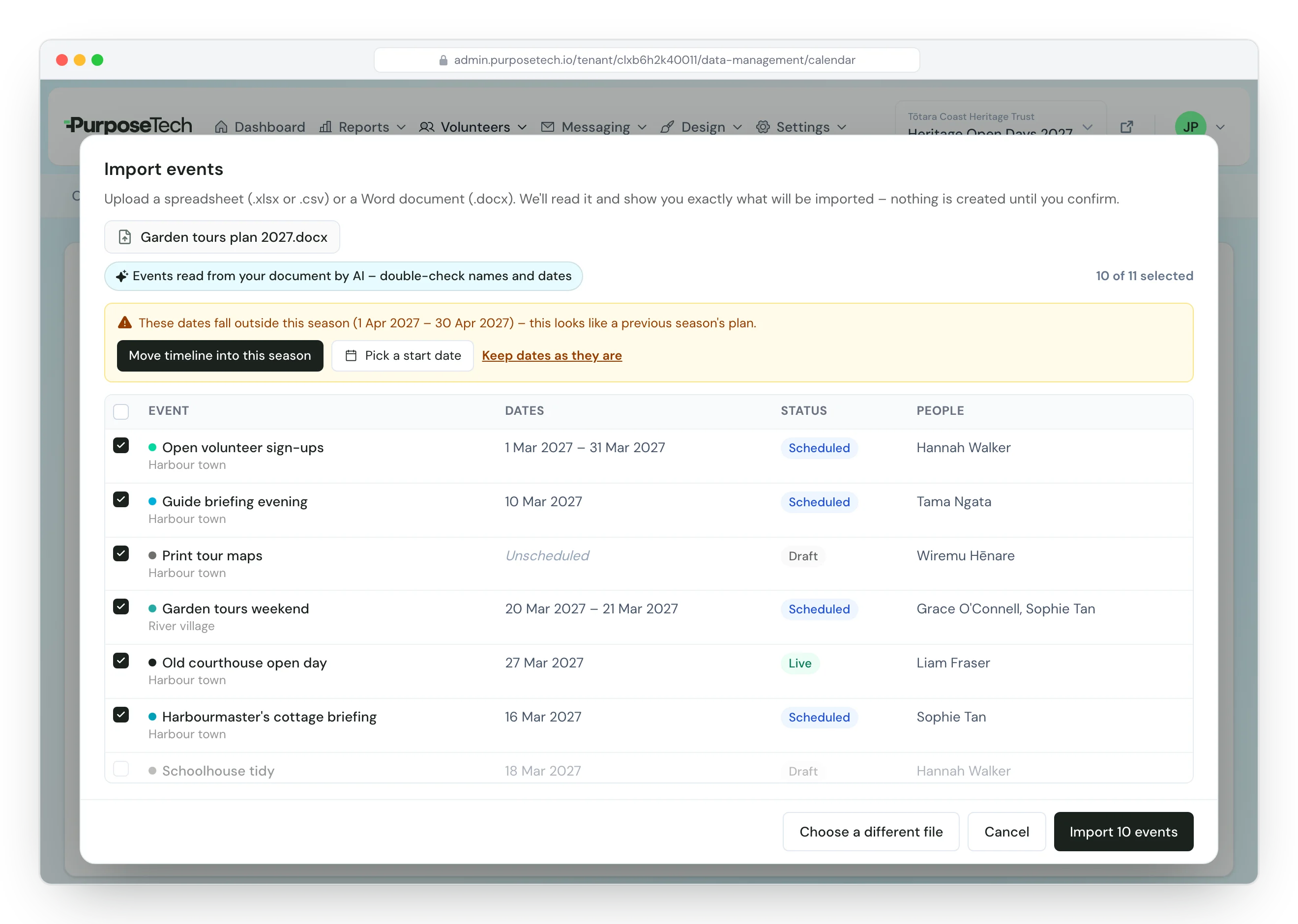
Plan the season from the document you already have
Drop in a Word document or spreadsheet and your events are ready to check.
Drag your plan onto the import screen. Every event is listed for you to check and untick, and if the dates belong to last season, one click moves the whole timeline into this one. From there, work in the calendar, planner or board view, and mark events complete in one click.
- Word, Excel and CSV files
- Colour-code events and assign team members
- Clone events to another campaign, offset from a date you choose
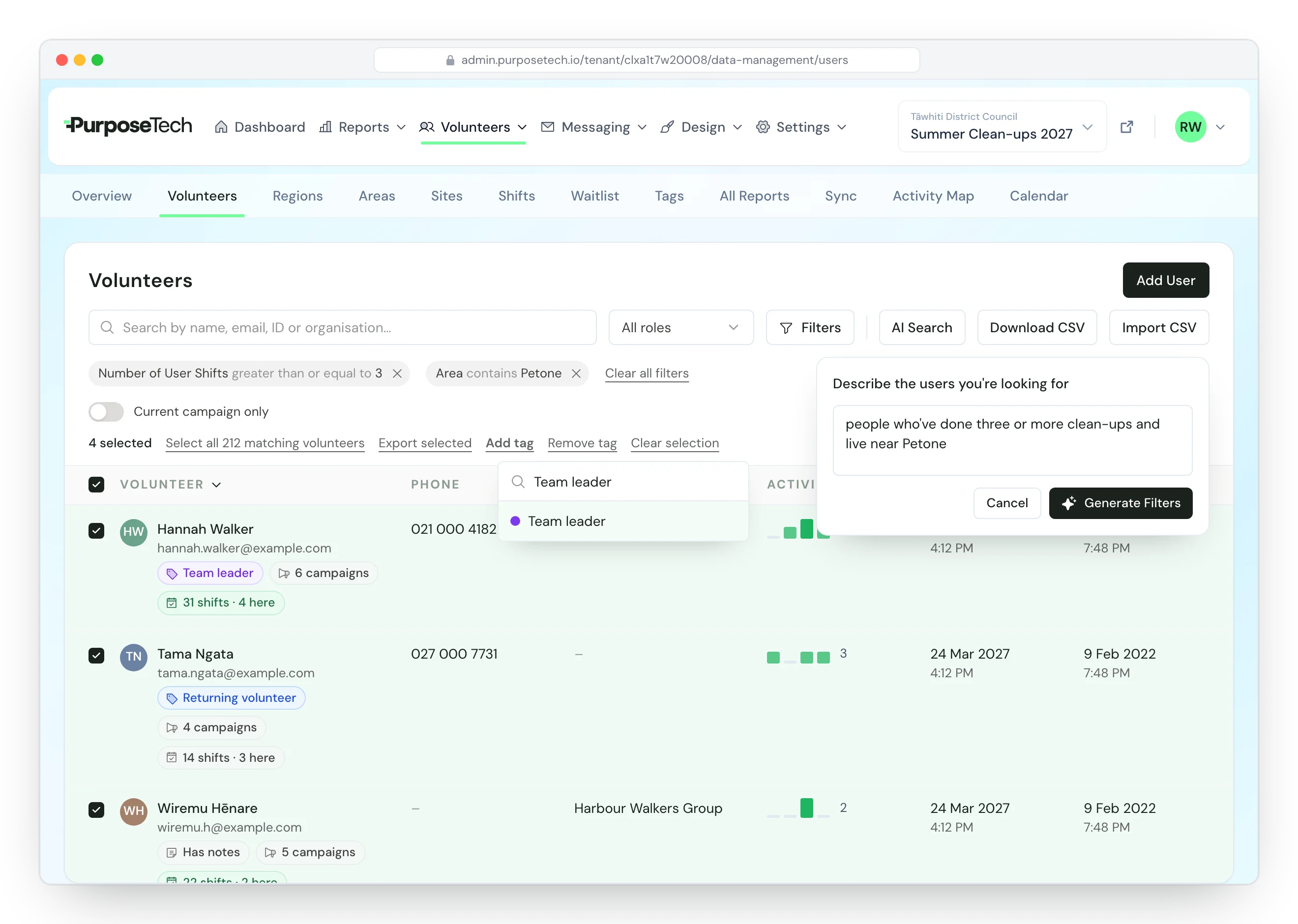
Know who's coming
Find the right people in seconds, then act on all of them at once.
Every volunteer, coordinator and contact sits in one table, with pills for their tags, notes, campaigns and shifts. Describe who you want in plain English and AI Search builds the filters. Then add or remove a tag on everyone who matches, across every page, or download them as a CSV.
- Private notes only admins can read, with a pill so the team knows to look
- Filter by role, tag, shifts booked, sign-up answers or completed form
- See a returning volunteer's shifts from every campaign
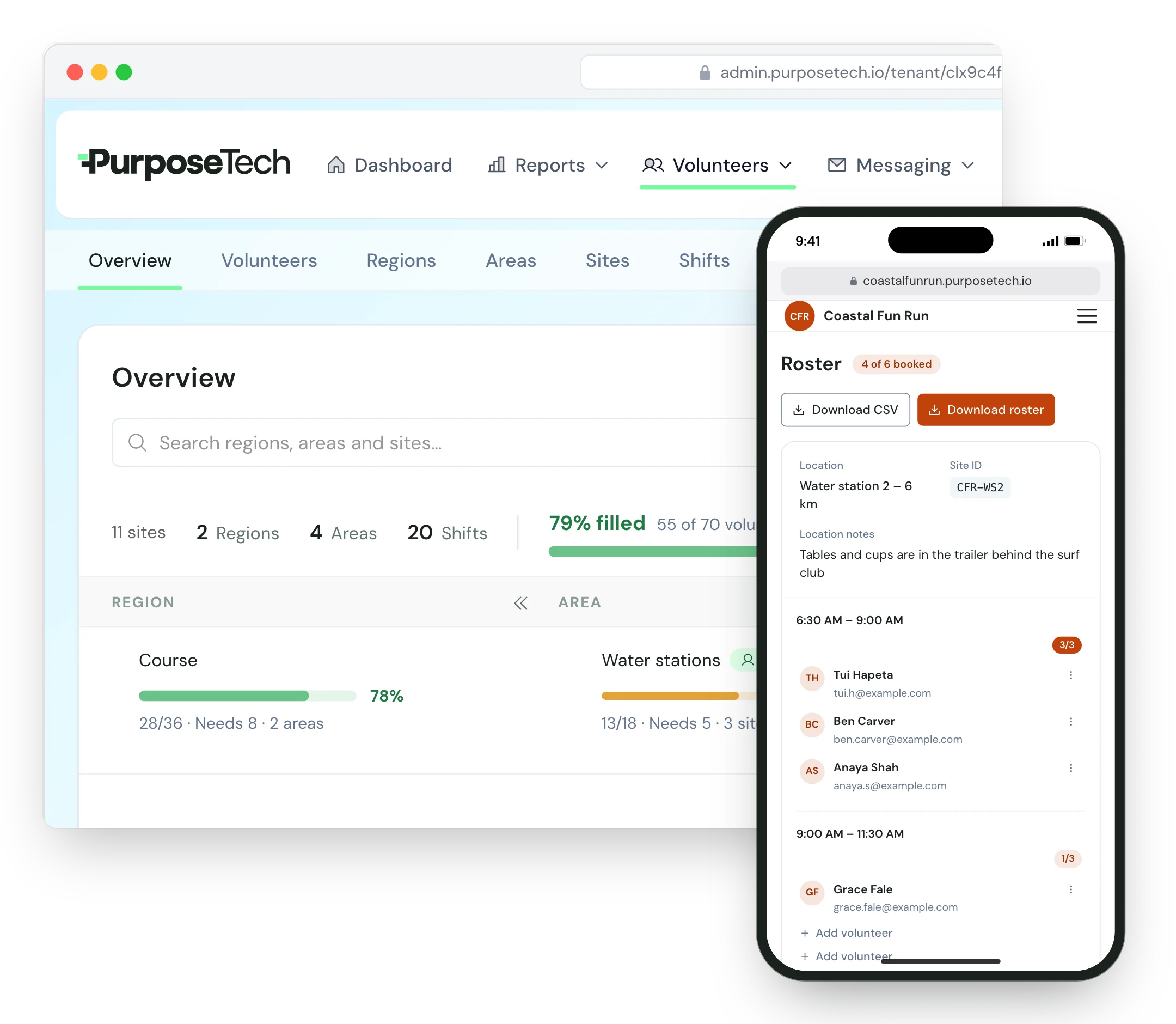
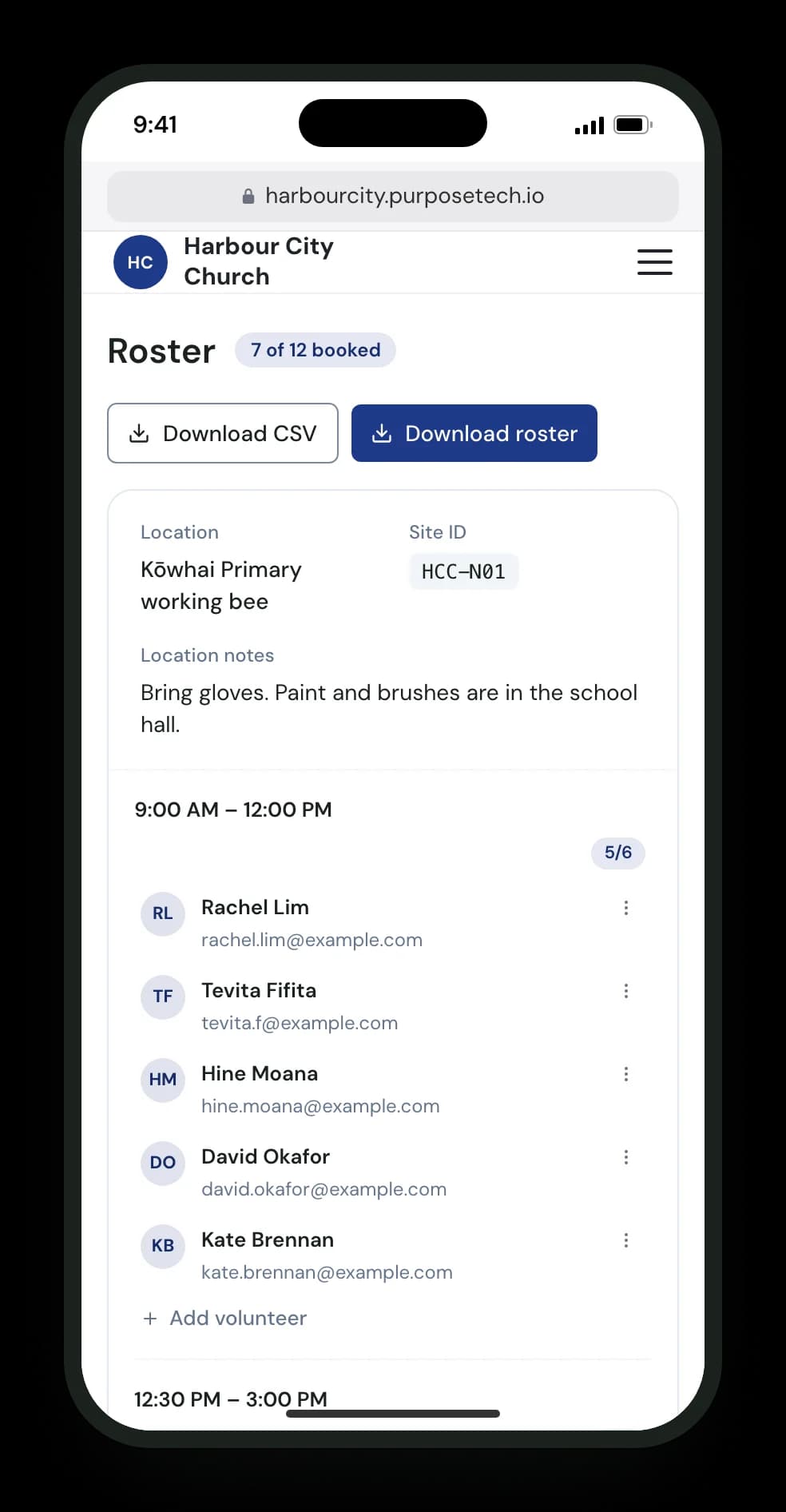
Run the roster
Coordinators run their own sites from a phone.
Area and site coordinators see the sites they look after, who is booked on each shift, and what is still open. They add walk-ins, move people and download the roster, without a login to the admin portal.
- A roster per site, laid out by time slot
- Full areas keep a waitlist you can phone and place from
- One button from the roster to a site's consent form
Message the right people
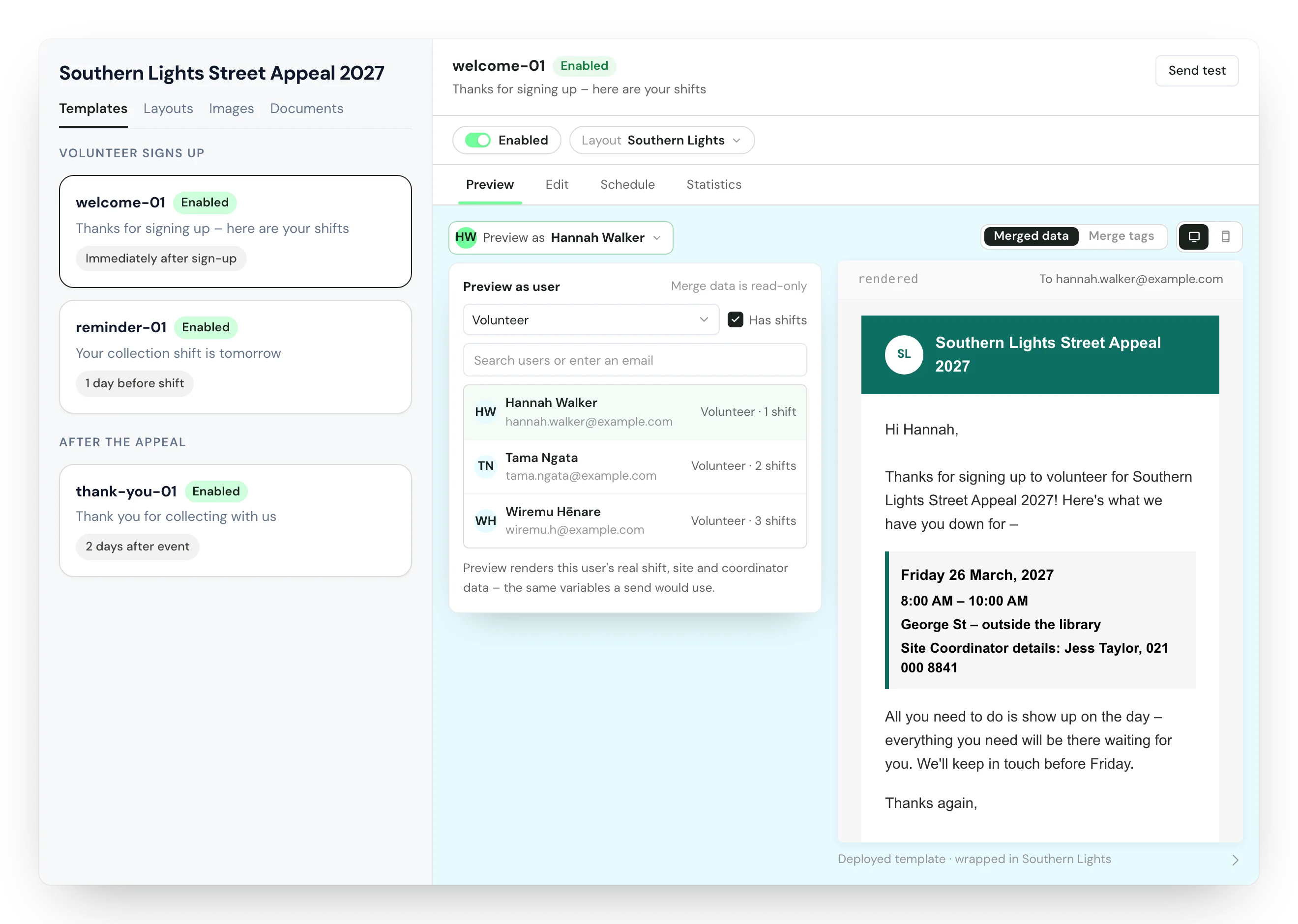
Emails go out on your schedule, and you can see exactly what each person will get.
Confirmations and reminders send themselves on the schedule you set. Pick any volunteer to preview an email as they'd receive it, with their shift, site and coordinator filled in and nothing sent. For anything else, send a template to a role, to volunteers with a minimum number of shifts, or to a list you paste in, now or at a set time.
- Host PDFs and link them from your emails
- Copy last year's emails across, switched off until you've set their schedule
- Email History shows delivered, opened and bounced
See what worked
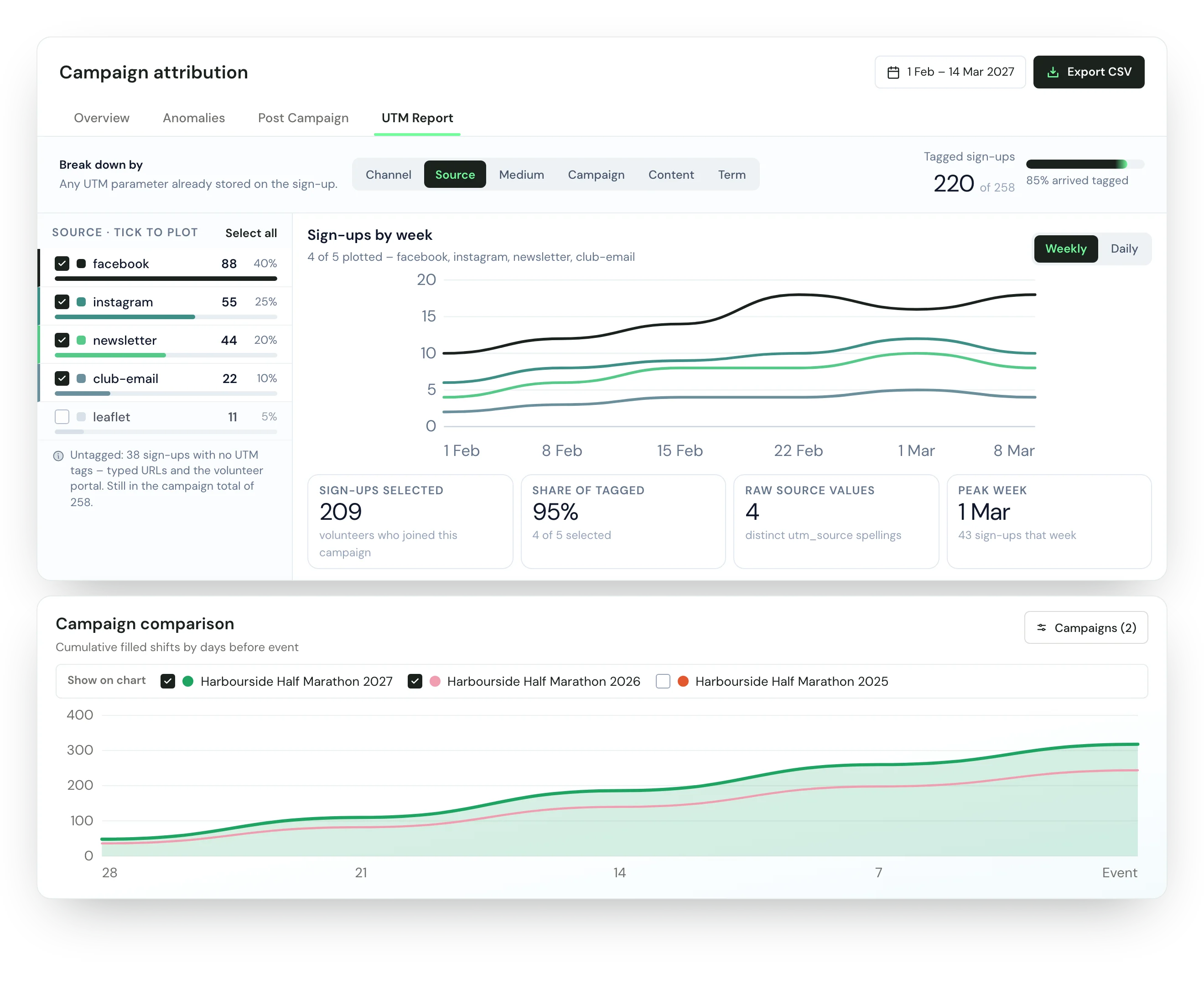
Show your board or funder what the day took and what brought people in.
Campaign attribution shows which posts, ads and emails brought volunteers, by the tags on the links they arrived through. The comparison chart draws every campaign you've run by days before the event, and you can untick the ones you don't want. Filled by Area breaks cover down to each site, and Anomalies flags double bookings and coordinator gaps while there's still time to fix them.
- Volunteer hours and coordinator counts
- The Activity Map shows where volunteers signed up from
- Dollars per volunteer-hour for each collection site
Keep Salesforce honest
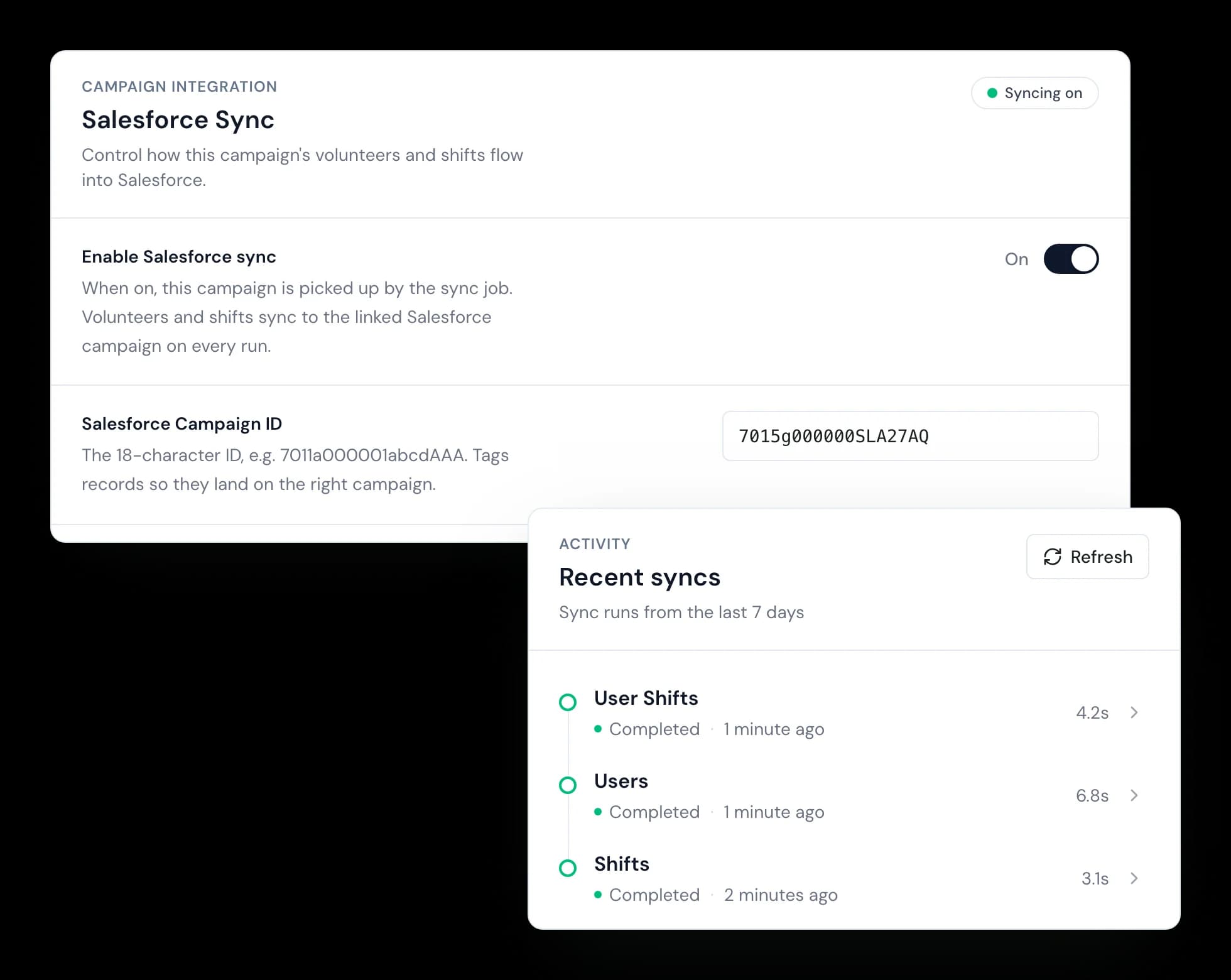
Volunteers, sites, shifts and bookings stay in step with your CRM.
Connect with one guided authorisation. Each campaign then syncs with its own Salesforce campaign, about every four minutes. When a record cannot sync, it lands on the Sync page with the reason, for you to resolve or ignore.
- Contacts, Volunteer Jobs, Shifts and Hours
- A sync window and a one-way option per campaign
- Conflicts listed with the Salesforce error
Also in the portal
An assistant in the portal
Ask how to do something in plain English. It answers from the help content and links to the page.
Roles for your team
Give trusted volunteers admin access while sensitive settings stay with owners.
A record of what happened
Audit timelines show the sign-ins and actions behind each person, including bookings, moves and removals.
The same portal for every kind of event
Sites, shifts and rosters work the same way whether a site is a water station, a festival gate, a tour home or a beach.
Street appeals and collection days
Collection sites booked from one place
Organisers running many events
One crew roster across every event
One-off events & campaigns
Street appeals, festivals and campaign days
Fun runs & sports events
Marshals, water stations and race-day crews
Sports tournaments
Gates, scoring tables and canteen, court by court
Festivals
Gates, bars, zones and overnight crews
Clean-ups & planting days
Site-by-site sign-up for environmental days
Tours & open days
A team at every venue, across towns and days
Churches & faith events
Serve days, Easter, Christmas and conferences
Federations & national bodies
Every branch, one platform
Councils & civic events
Community events with a supported platform
Agencies & whitelabel
Your brand, our engine
Event staffing
Paid crews and volunteers on one roster
See it with your own sites
Leave your details and the team will book an onboarding call to go through your events and sites with you.