For the church days too big for your weekly roster
Your weekly rosters already work. Welcome, worship and kids' teams run in Planning Center, Elvanto or whatever your church uses. Then comes the city-wide serve day with forty project sites, Christmas services across every campus, or a conference with hundreds of people to look after. PurposeTech is for those days. Your weekly rosters stay where they are.
The days that outgrow a weekly roster
Multi-campus churches in New Zealand, Australia and the United States run the same few big days each year. Each one brings new sites and first-time volunteers that a usual roster isn't set up for.
Serve days and outreach
A school working bee, a park planting, meals for neighbours. Every project is a site with its own shifts, places and project lead, and volunteers pick the one near them.
Easter across every campus
Set each campus up as a region and each service as a site with its own roles: parking, welcome, communion, kids, cafe and pack-down. Each campus sees its own roster.
Christmas services and events
Carols in the park, Christmas Eve services and community lunches, rostered across campuses in one campaign. Leaders see every campus on one dashboard.
Conferences
Registration desk, ushers, green room, cafe and breakout rooms, rostered by area across several days, with confirmation and reminder emails sent automatically.
First-time volunteers
Big days bring people who have never served before. They sign up on a public page without an account, and sign in later with a link sent by email to see or change their shift.
Your words on the screens
Rename regions, areas and sites to campus, ministry and project, so your leaders see the words your church already uses.
Many campuses, one view
Campuses map to regions, ministries or project types to areas, and each project or service to a site. Leaders see the whole picture. Each campus sees its own.
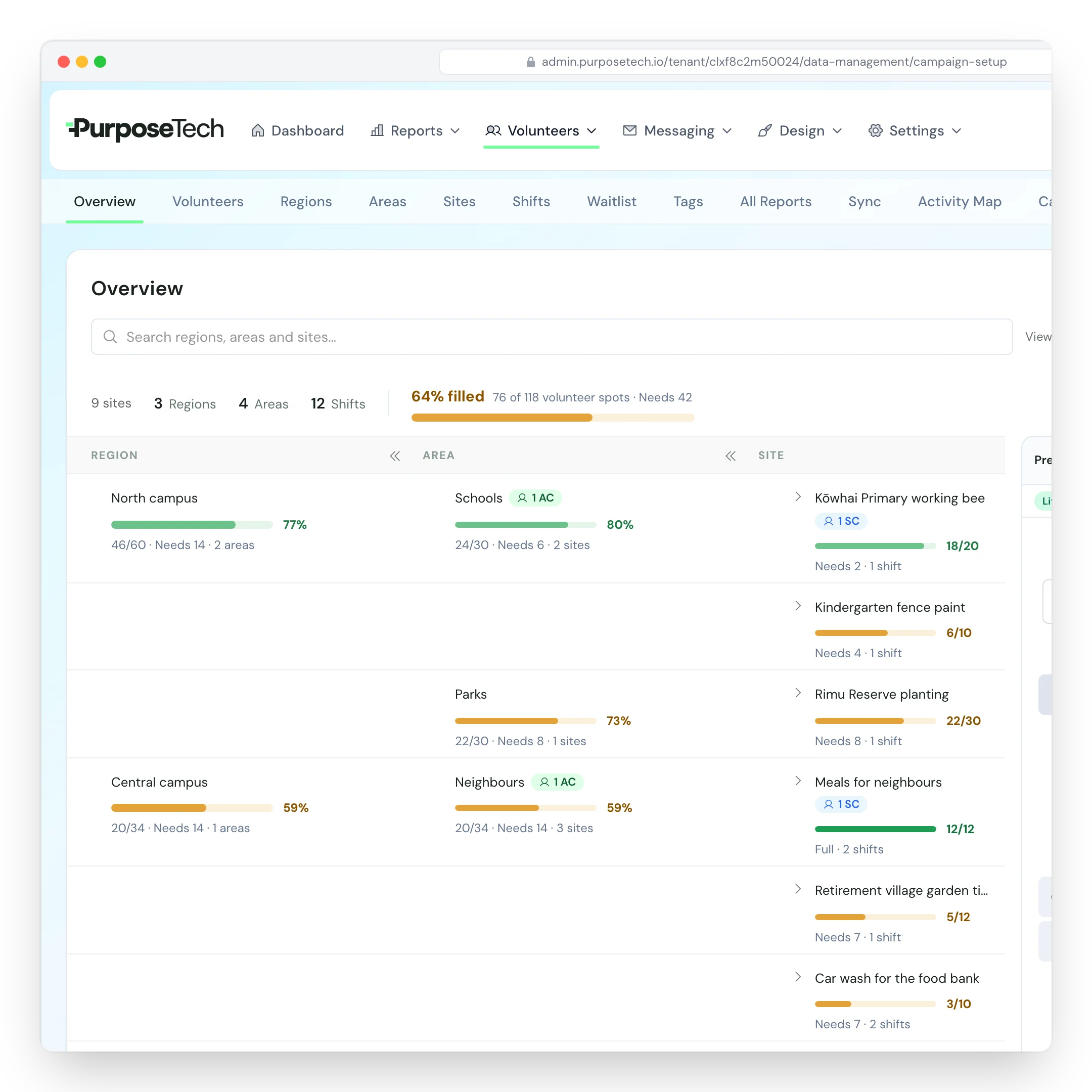
Every campus on one dashboard
Each campus is a region, with its projects grouped underneath. The Overview shows how full each project is, so a week out you can see which campus is short and where to send people.
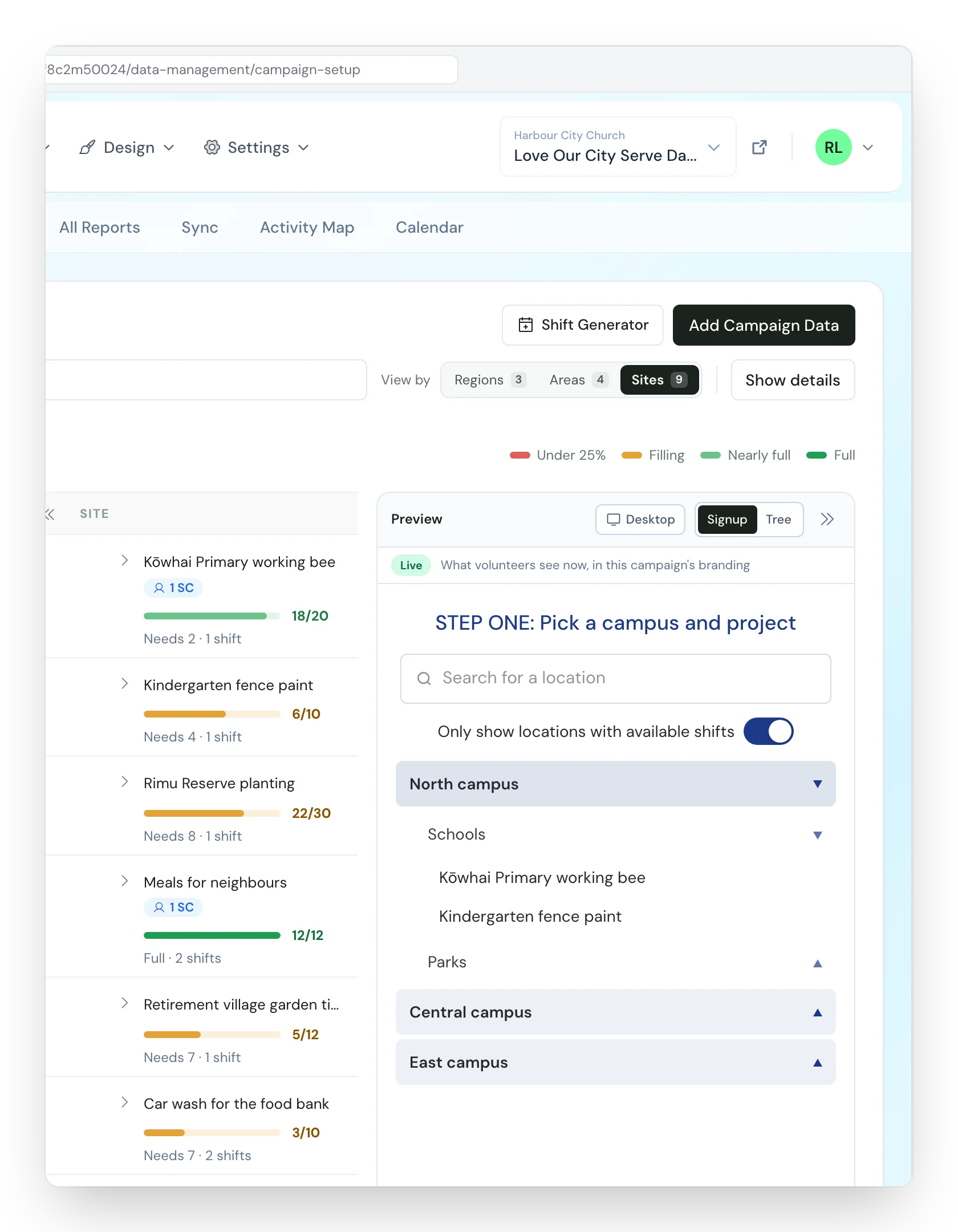
Your church's name on the sign-up page
Volunteers pick a campus, then a project and a time. The sign-up page carries your logo and colours and can run on your church's own subdomain.
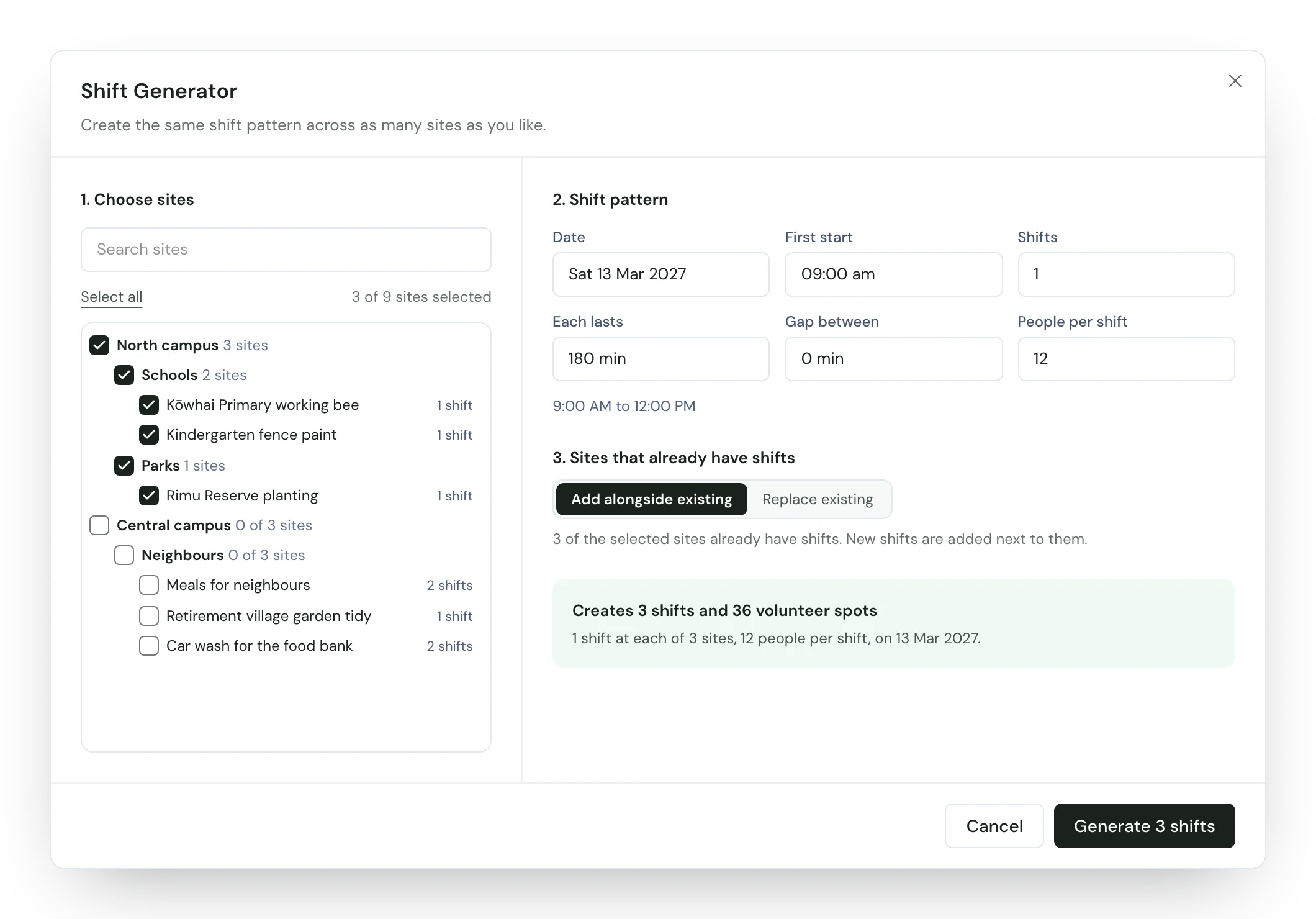
The same pattern at every campus
Generate shifts across every campus at once: set-up, the project itself and pack-down. Each site keeps its own number of places.
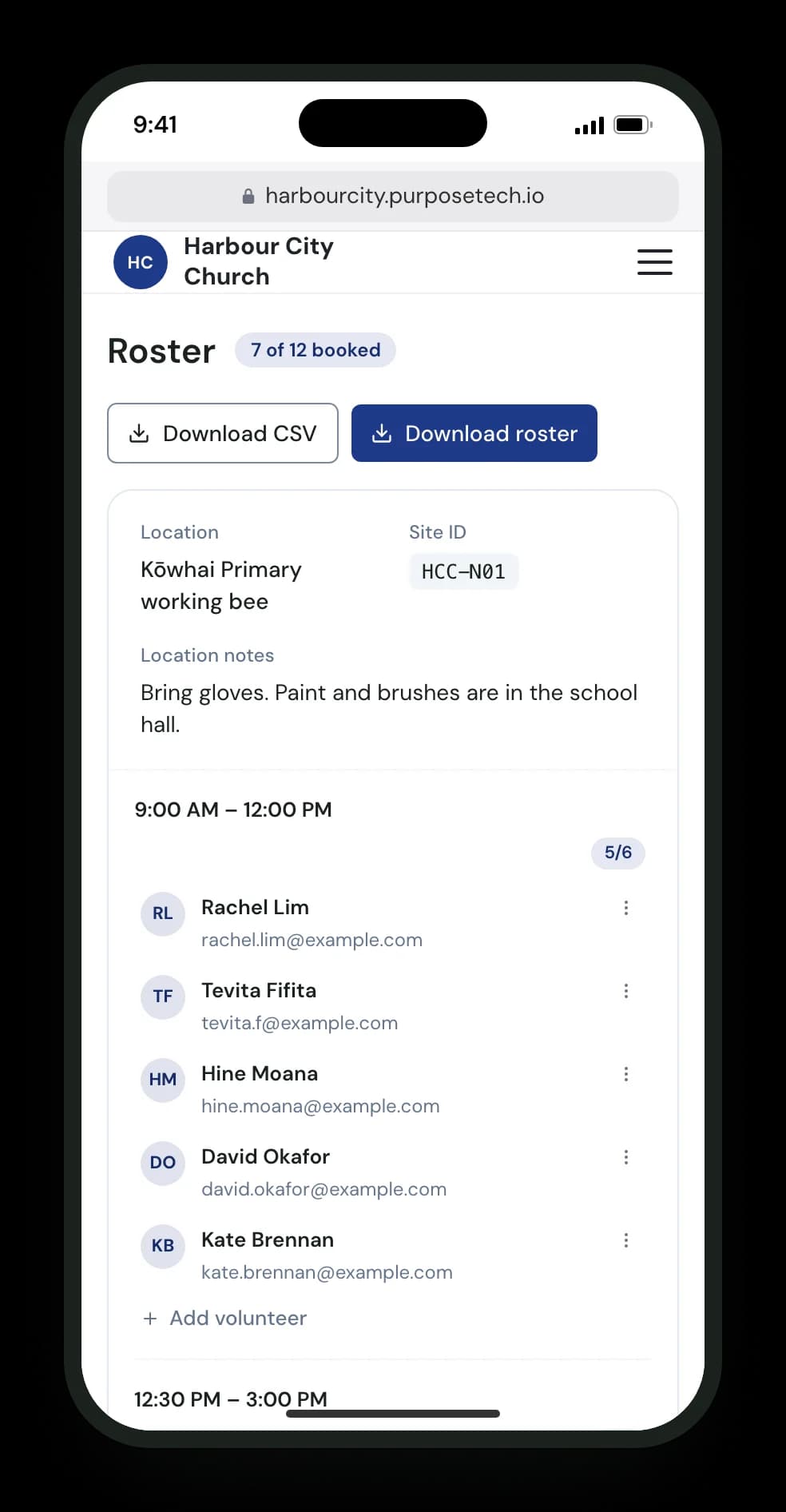
Project leads see their team on a phone
Give each project or service lead the Site Coordinator role. They see who is coming, with email and mobile, add a walk-in and download the list as a PDF or CSV.
Emails without anyone pressing send
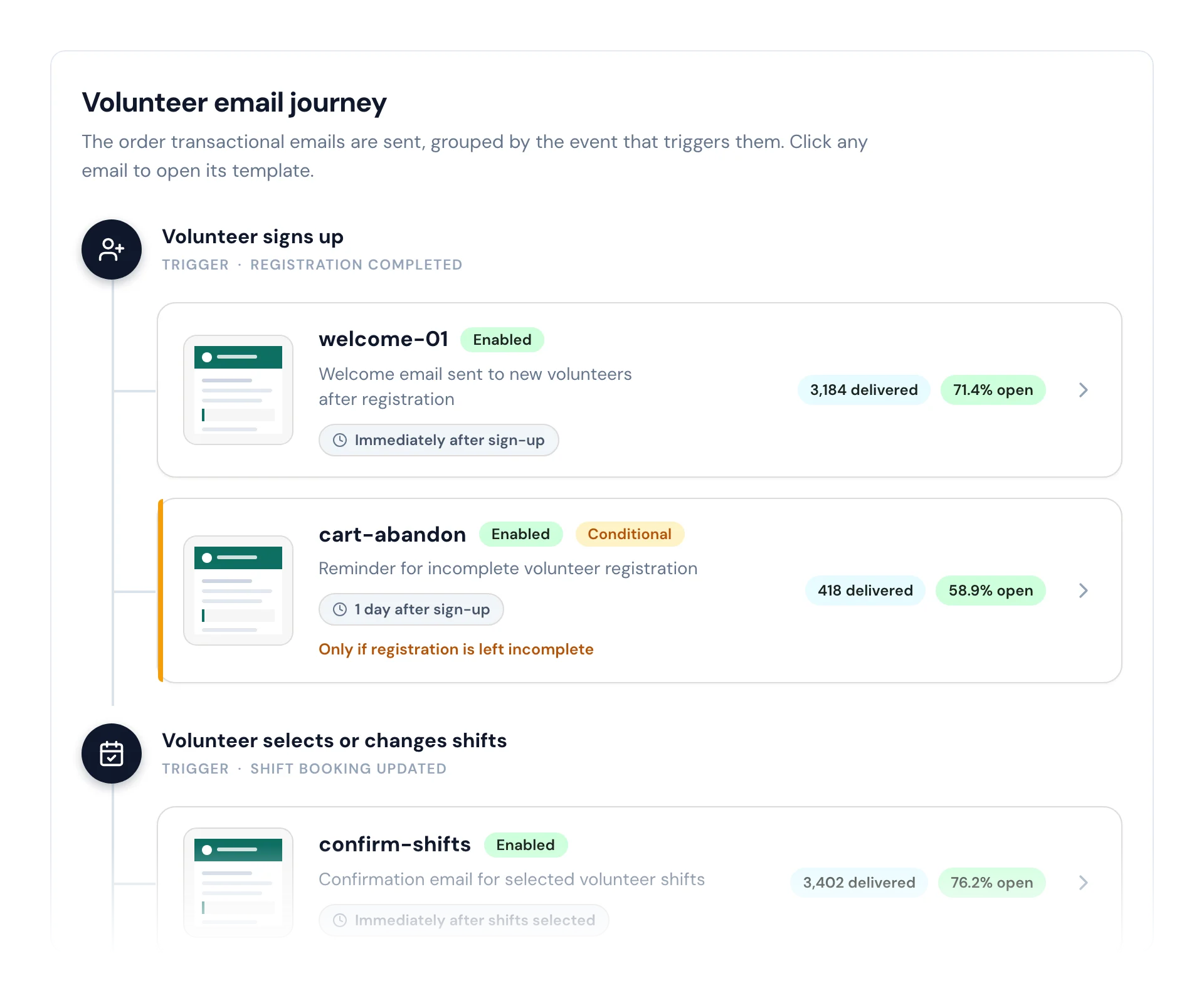
Volunteers get a confirmation when they book and reminders before the day. Write the briefing once, with where to go and what to bring.
Beside Planning Center or Elvanto
Planning Center and Elvanto look after the weekly life of a church. PurposeTech doesn't replace your church management system.
Use it for the big days, when new sites and first-time volunteers stretch your usual roster. Move volunteer lists between the two as spreadsheets.
Families and small groups
A volunteer can book an extra spot on their shift and add a friend's or family member's name, so families can serve together.
There is no block booking where a leader reserves places for a whole small group, so a group signs up one person at a time.
The sign-up form can set a minimum age on the date-of-birth question for days that need one.
Related pages
Church volunteer rostering FAQ
Does it connect to Planning Center or Elvanto?
Move volunteer lists between them as spreadsheets: export from PurposeTech, or import a list into it. If a direct connection would make a difference for your church, talk to us.
Can it run our weekly Sunday rosters?
Most churches keep weekly teams in their church management system and use PurposeTech for serve days, Easter, Christmas and conferences. If weekly rosters are what you need, talk to us about what your church runs.
Can small groups sign up together?
A volunteer can book an extra spot on their shift and add a friend's or family member's name. If your groups need more than that, talk to us.
How do we handle vetting for kids' ministry?
The sign-up form can ask for a police check, Working with Children Check or background check number and the date it was issued, alongside your existing process.
Our campuses are in different time zones.
Each campaign runs in its own time zone. Where campuses keep different clocks, run one campaign for each time zone.
Where is our people's data kept?
The platform database is in Australia (AWS Sydney). Some supporting services are in the United States. Every one is listed on our sub-processors page.
How is it priced?
You pay for people confirmed on a shift. You can pay in New Zealand, Australian or US dollars, or euros. In New Zealand dollars, Growth is NZD 450 a month or NZD 4,500 a year.
Plan your next serve day
Tell us about your campuses and the day you are planning. Fill in the short form and we'll call within one business day to set you up.