Roster volunteers fast for emergency response and recovery
After a flood, cyclone or earthquake, volunteer centres and community organisations have to roster people at short notice. The places that need help change by the day, and people turn up who have not registered. Prepare a campaign in PurposeTech now. When a response starts, duplicate it, add the affected sites and share the sign-up link.
PurposeTech rosters your organisation's volunteers. It is not an emergency management or incident command system, and it does not replace the systems Civil Defence and emergency services run.
What a response asks of your volunteer roster
There is little lead time and the work moves as the situation develops. These are the rostering problems that come first, and how the standard platform handles each one.
Ready before you need it
Setup takes time, so do it now. Build a template campaign with your usual regions, areas, sites and shift patterns, a registration form and your email templates. When a response starts, duplicate it, set new dates and share the sign-up link.
Sites for the places that need help
Regions such as Hawke's Bay and Tairāwhiti, areas such as Napier and Hastings, and sites such as debris clearing, supply distribution or a community kitchen. Add sites by pasting from Excel or uploading a CSV or XLSX file, and rename them in the setup grid.
Needs change by the day
Add sites as new needs appear. Change shift times as the work moves from the first days to recovery, and change the capacity of any shift at any time. Hide a site from the public sign-up page while you set it up.
People turn up without registering
Site coordinators add volunteers who arrive without a booking straight onto the roster from their phone. An email address is optional.
A site needs to close quickly
Set a site to Show full so nobody new can book, or to Cancel only so booked volunteers can still cancel. Then email everyone with a booking in the campaign, or paste the addresses from that site's roster.
Knowing who can do what
Ask about first aid, a driver licence or languages spoken on the registration form, and show follow-up questions based on earlier answers. Filter the Volunteers list by those answers and by tag when you need people for a specialist task.
Prepared ahead, changed as you go
This is the same platform charities use for appeals and events. Disaster response runs on it as a campaign like any other.
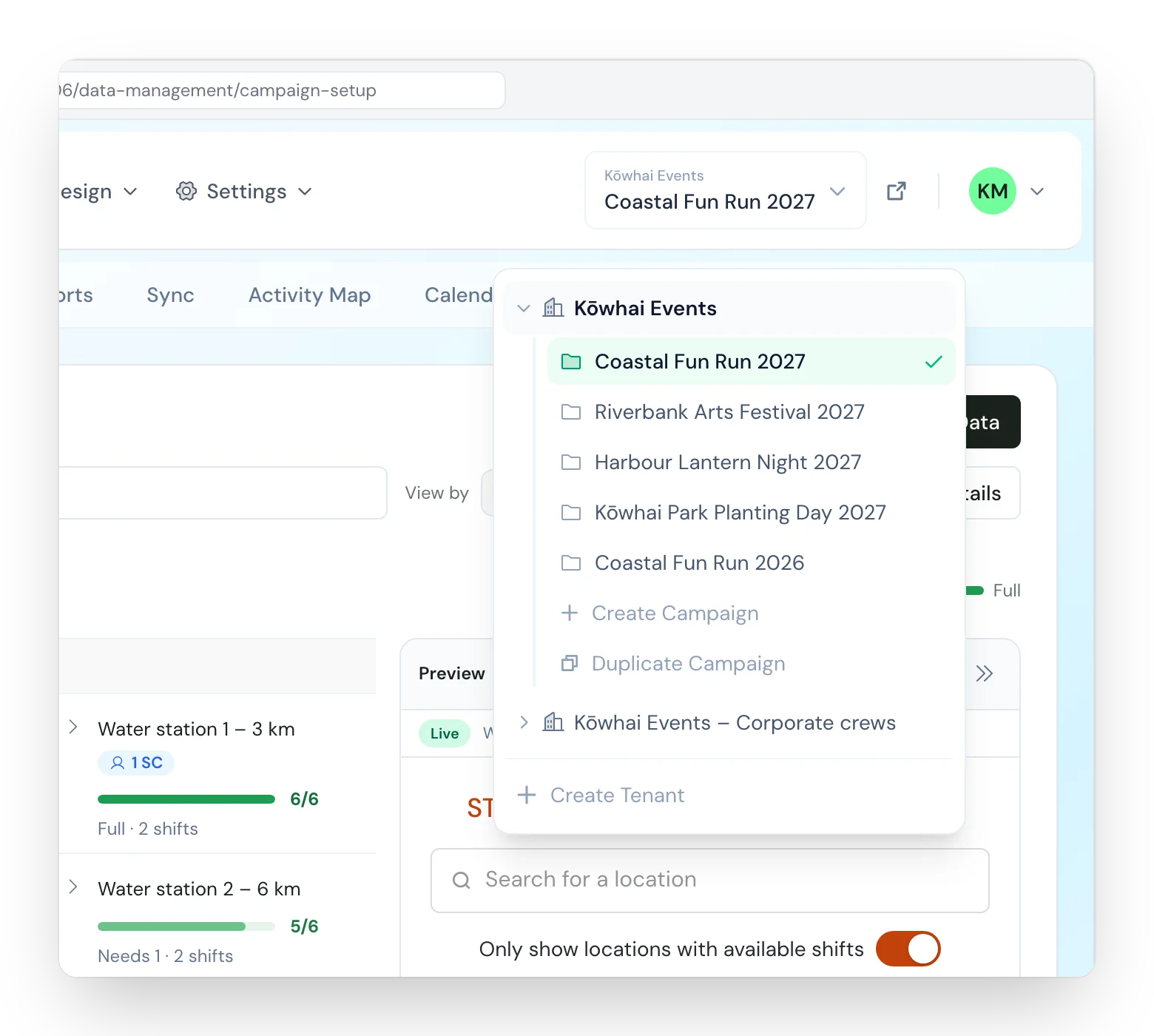
Duplicate a prepared campaign
Duplicating a campaign copies its branding, registration form and email templates. Tick “Also copy this campaign's data” to bring its shift types, regions, areas, sites and shifts across as well. You set the new dates, adjust the sites and open sign-up. Volunteers book from their phones and sign in later with an emailed link, with no password to remember.
A roster for every field coordinator
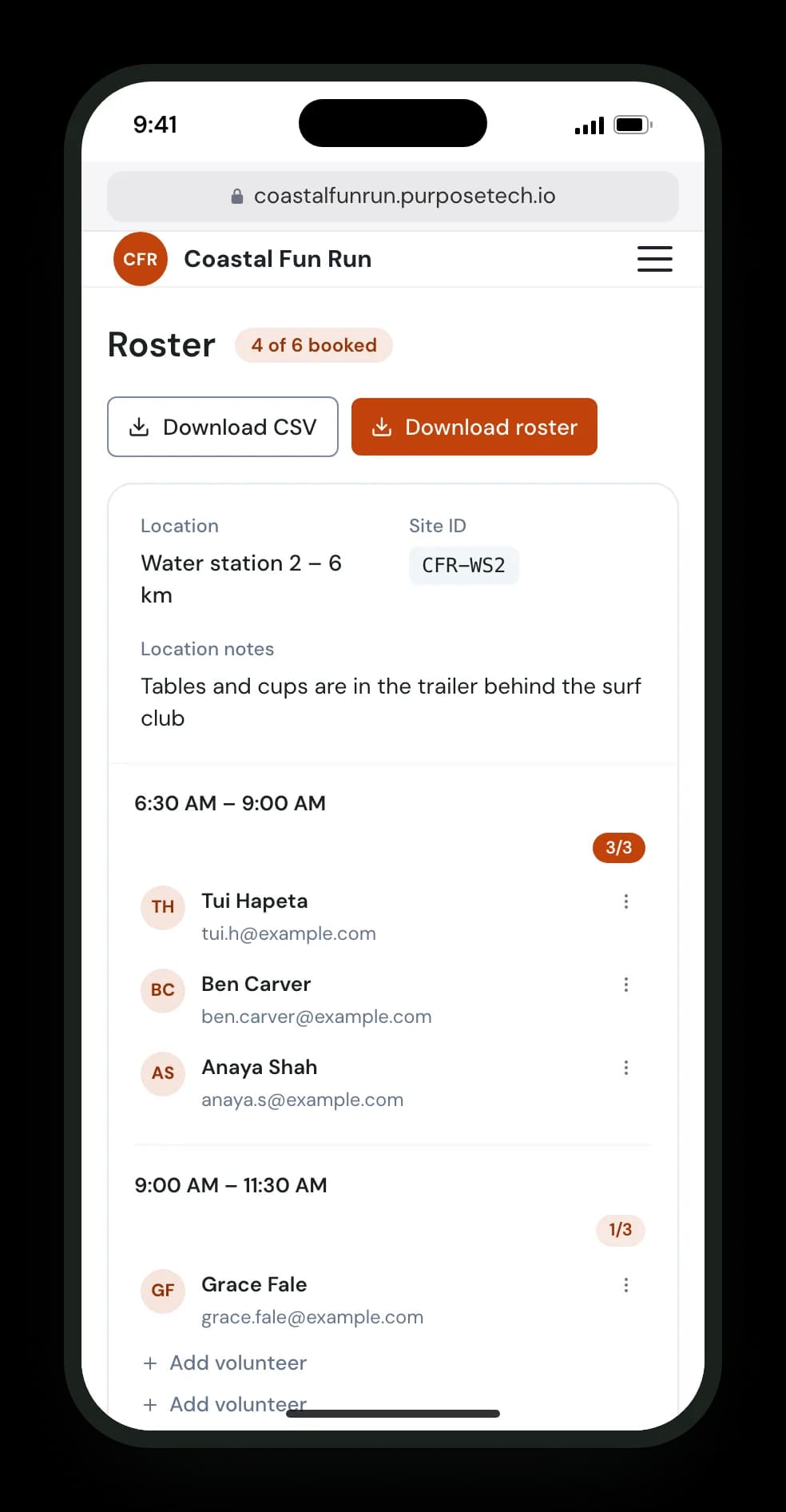
Area and site coordinators see who is booked on each shift, with email and mobile number. They can add walk-ins, move volunteers between shifts and sites on a larger screen, and export a PDF or CSV for when connectivity is poor. Each coordinator sees only the areas and sites they are assigned to.
Updates by email
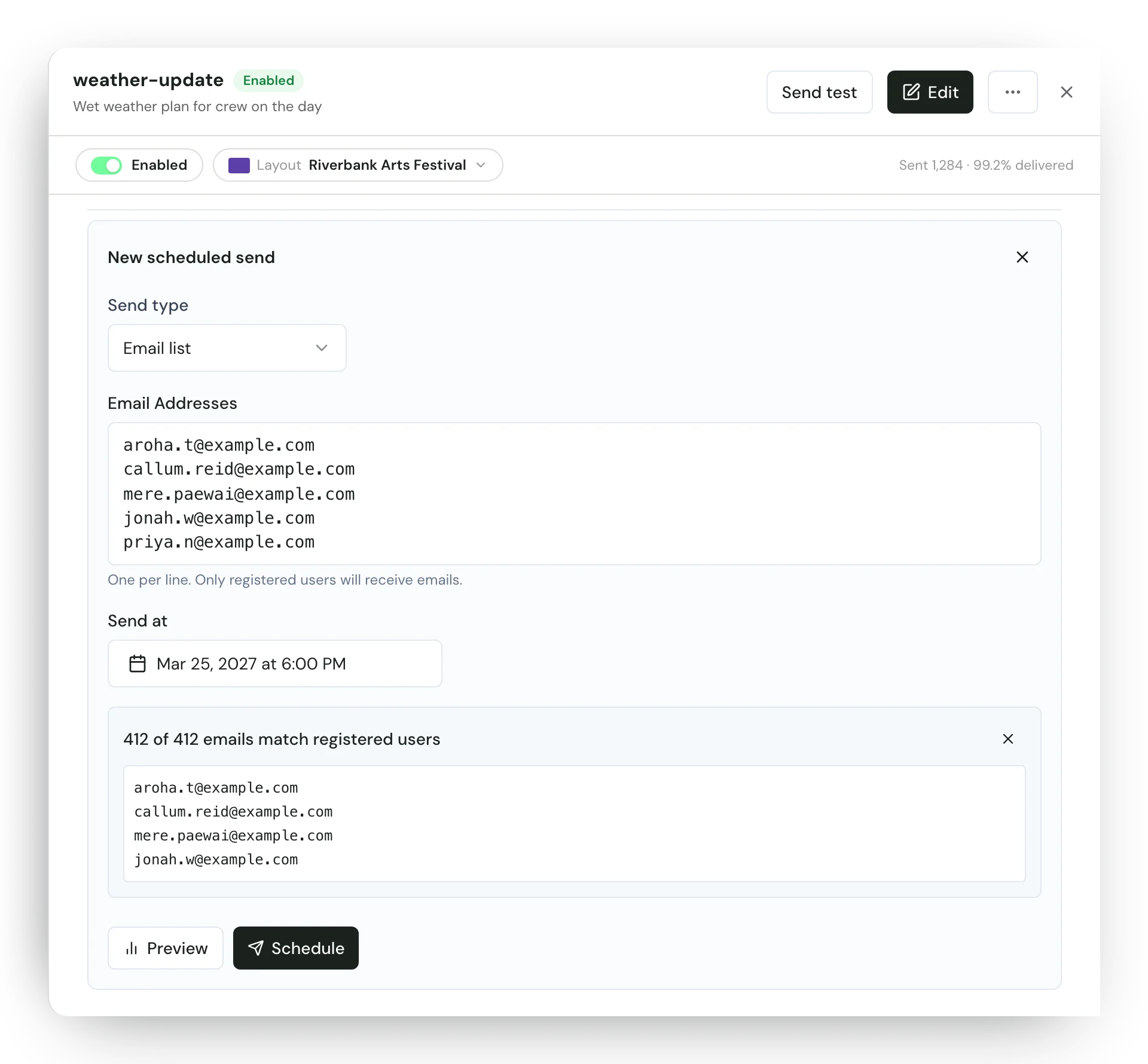
Confirmation and reminder emails go out on their own, and each shift type can carry its own note, such as what to bring or where to meet. A bulk email can go to everyone with a booking in the campaign, or to volunteers whose addresses you paste in, such as those on one site's roster. Volunteers on a waitlist can be phoned and placed on a shift from the Waitlist page.
See where you are short
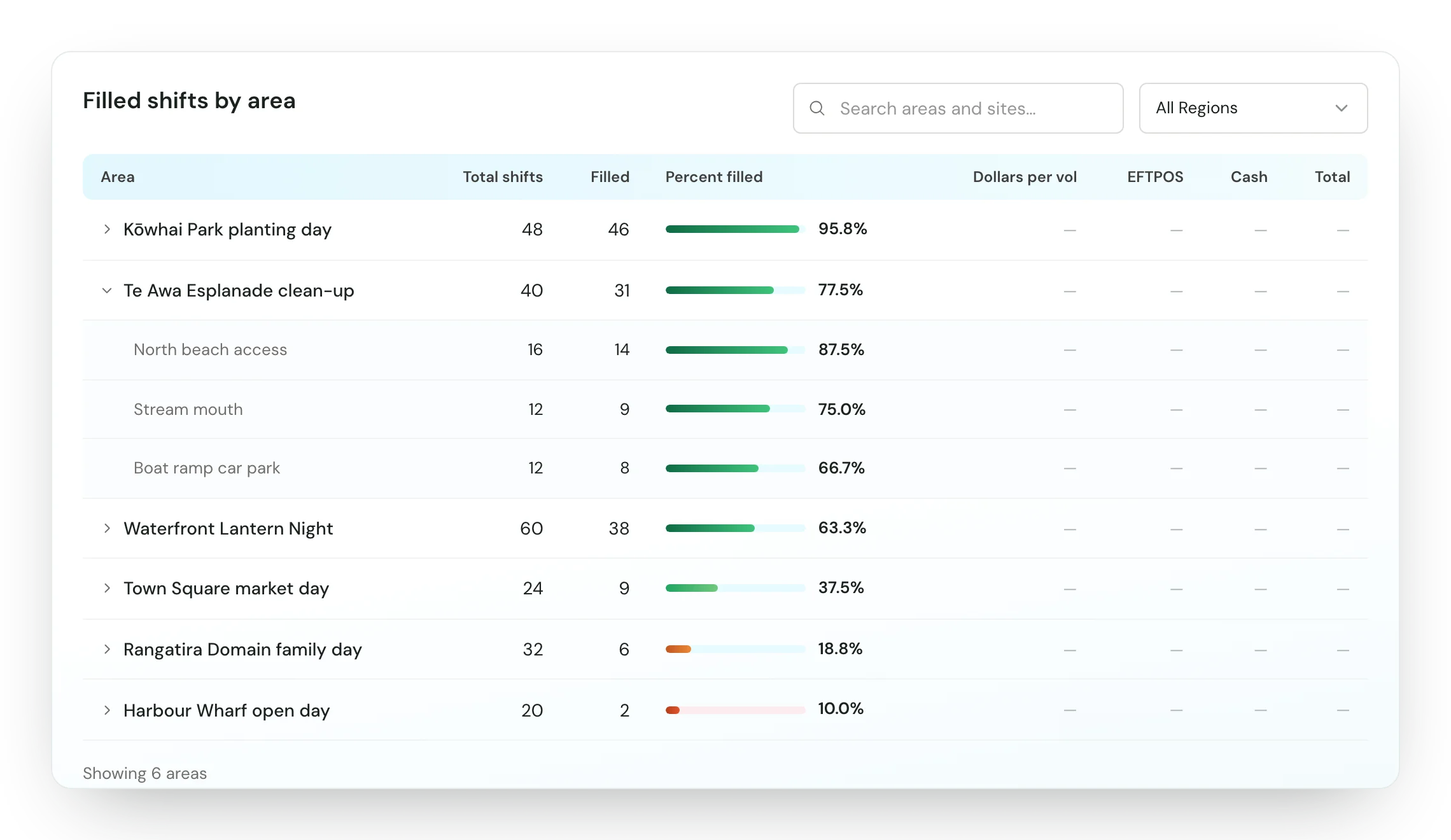
Reports show fill rates by region, area and site, so you can see where you have cover and where you do not. Admins can download the Volunteers list as CSV and open each volunteer's activity timeline to see their bookings, changes and the emails sent to them.
What it does not do today
Plan how you will reach volunteers around this.
- Messages go by email. There is no SMS or WhatsApp.
The full detail is in the disaster recovery guide in the docs.
Related pages
One-off events & campaigns
Time-boxed campaigns with a surge of volunteers across many sites.
One-off eventsOrganisations using PurposeTech




28,000+
confirmed shifts across our national appeals
7,000+
volunteers across 1,000+ sites in one appeal
$300k+
raised by Child Cancer Foundation in 2025
$109k
Assistance Dogs NZ's first six-figure campaign
Emergency and recovery volunteer FAQ
Can we set this up once a response has started?
You can, but setup takes time when time is short. Build a template campaign now with your regions, sites, shift patterns, registration form and emails. When a response starts, duplicate it, set the dates, add the affected sites and share the sign-up link.
What happens when people turn up who have not registered?
A site coordinator adds them to the roster from their phone. An email address is optional. Coordinators can also move volunteers between shifts and sites from a larger screen.
Can we send text messages?
No. PurposeTech sends email only: confirmations, reminders, shift notes and bulk emails. Volunteers on a waitlist can be phoned and placed on a shift from the Waitlist page.
Does PurposeTech check first aid certificates or run police vetting?
No. The registration form records what volunteers tell you, such as first aid certification or a driver licence, and you can filter the Volunteers list by those answers. Checking qualifications and vetting stays with your organisation.
Does it replace Civil Defence or emergency management systems?
No. PurposeTech rosters your organisation's volunteers. It is not an emergency management or incident command system, and it does not replace the systems Civil Defence and emergency services run. It has no reporting formats for government agencies, though admins can download the Volunteers list as CSV.
Can several organisations work from one shared view?
No. Each organisation runs its own campaign, with its own volunteers, sites and coordinators.
Does it record who turned up and how many hours they worked?
Coordinators can mark a no-show from the roster, and the Volunteers list can be filtered by it. Today there is no check-in on arrival, so volunteer hours come from booked shift length, not time actually worked.
Planning how you would roster a response?
Talk to us about whether the standard platform fits your organisation, and how to prepare a template campaign before you need it.