Volunteer FAQ template
An event volunteer FAQ you can copy for a fun run, a festival, or any one-off event. These volunteer questions and answers cover the practical things people ask before they turn up.
How to use this template
Copy the questions below into an email, a document, or your volunteer page. Replace every placeholder in square brackets with your own detail. Placeholders look like [Organiser], [meeting point], [contact number], and [emergency number].
Delete any question that does not apply. Add a line where your event has a rule of its own, such as age, weather, or photos. Send it when someone signs up, and again with the reminder before the day.
Event volunteer FAQ
Before the day
What roles can I volunteer for?
[Organiser] lists the roles for this event, such as marshal, water station, registration, or general helper. Each role has its own shifts. Choose one that fits the time you have and the work you are happy to do.
How do I sign up?
Use the sign-up link from [Organiser]. Add your name and contact details, then choose a role and a shift. You should receive a message that confirms the shift you booked. If it does not arrive, contact [Organiser] on [contact number].
Can I bring a friend?
Yes, when there is a free place. Your friend signs up with their own name and contact details. Some events also let you pass one of your booked places to a friend by entering their name, email and phone. The booking then moves to them, so it is no longer yours. [Organiser] will say which applies.
Can I swap or cancel a shift?
If you cannot make your shift, tell [Organiser] as early as you can on [contact number]. They will tell you how to cancel or move to another shift, and the latest time you can make a change.
Can under-18s volunteer?
[Organiser] sets the minimum age for each role. If you are under 18, ask them before you sign up. They may ask a parent or guardian to agree in writing.
On the day
Where and when should I arrive?
Arrive at [arrival time] at [meeting point]. The address is [address]. Allow time to park, or to walk from public transport. If you are running late, call [contact number].
What should I wear and bring?
Wear [dress code] and closed shoes you can stand in for a few hours. Bring [what to bring], and leave valuables at home. [Organiser] will say if a high-vis vest, radio, or lanyard is provided on the day.
Will there be food and water?
[Organiser] will say whether food and drinking water are provided. Bring a full water bottle unless they tell you otherwise. If you have dietary needs, mention them when you sign up.
When do I get a break?
Your team leader sets breaks on the day. Stay at your post until someone is covering it. If you feel unwell or unsafe at any point, because of the weather, traffic or a person, move to safety and contact your team leader or [contact number] straight away. If your shift length is unclear, ask at the briefing.
Is there a briefing?
Yes. The briefing is at [briefing time] at [briefing place]. It covers your role, who to ask, and what to do if something goes wrong. Arrive in time to hear it before you start.
Who is my contact on the day?
Your team leader is [team leader]. If you cannot reach them, call [contact number]. Save that number in your phone before you travel.
Safety
What if the weather is bad?
[Organiser] watches the forecast and will message you if the plan changes. Dress for the conditions they describe, including sun, rain, or cold. If the event is called off, they will contact you. Wait to hear from them before you treat the shift as cancelled. If conditions turn unsafe where you are, move to safety and contact your team leader or [contact number] straight away.
What if someone is injured?
If the injury is serious, call [emergency number] straight away and follow the call-taker's instructions. Then get first aid to the person and call [contact number]. Do not move an injured person unless they are in immediate danger, such as from traffic. For a minor injury, tell your team leader and help the person to the first aid point at [first aid location].
What should I do in an emergency?
Call [emergency number] straight away and follow the call-taker's instructions. Move yourself and people nearby away from immediate danger, such as traffic or fire, but do not move anyone who is injured unless they are in that danger. Then call [contact number] and your team leader. Leave fires, threats, and medical emergencies to the emergency services.
After the event
Can I get a certificate or a record of my hours?
Ask [Organiser] how they record hours. They can confirm the shifts you worked. If you need a certificate for school, work, or a course, tell them when you sign up so they know what to prepare.
How do I give feedback?
After the event, [Organiser] may send a short form. You can also reply to their email or call [contact number]. Say what worked and what you would change next time.
Will photos be taken?
[Organiser] may take photos or video for their own channels. Tell your team leader at the briefing if you do not want to be in them. If you take photos of other people, ask them first, and follow any sharing rule [Organiser] has set.
How PurposeTech helps
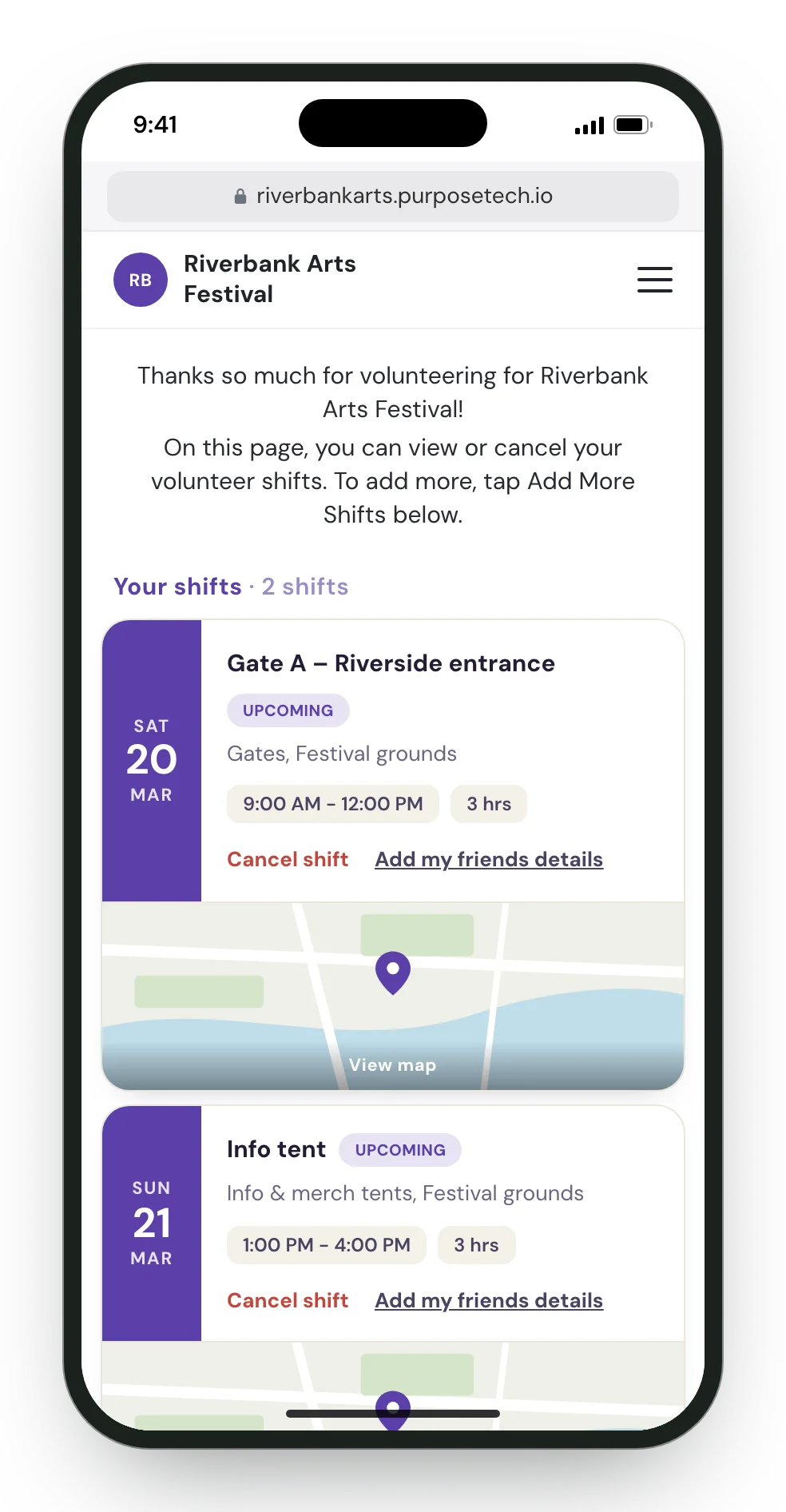
Volunteers open your campaign site, pick a role and a shift, and book themselves on. Confirmation and reminder emails go out on the schedule you set. On My shifts they can see their bookings, cancel one up to the cutoff you choose, or book another. They can also pass one of their booked places to a friend by entering the friend's name, email and phone. The booking moves to the friend, who gets their own invitation email and manages the shift from their own account.
The same campaign site can carry its own FAQ page. Pages are built from sections, including an accordion of questions and answers, and they sit beside sign-up. Your PurposeTech contact sets that page up with you. The wording above is a starting point for it, or for the email you send before the day.
For race-day roles, see fun runs and sports events. For the campaign site itself, see features and the campaign pages guide.
Put the FAQ on the site they book from
Volunteers pick a shift, get the confirmation and the reminder, and can read the answers in the same place. Fill in the short form and we'll call within one business day to set you up.